
Features Sales page
Publish it · Sales page
A sales page that sells, without designing one
Pick a design, answer a few prompts, and your page is ready. Change anything later and publish again in seconds.
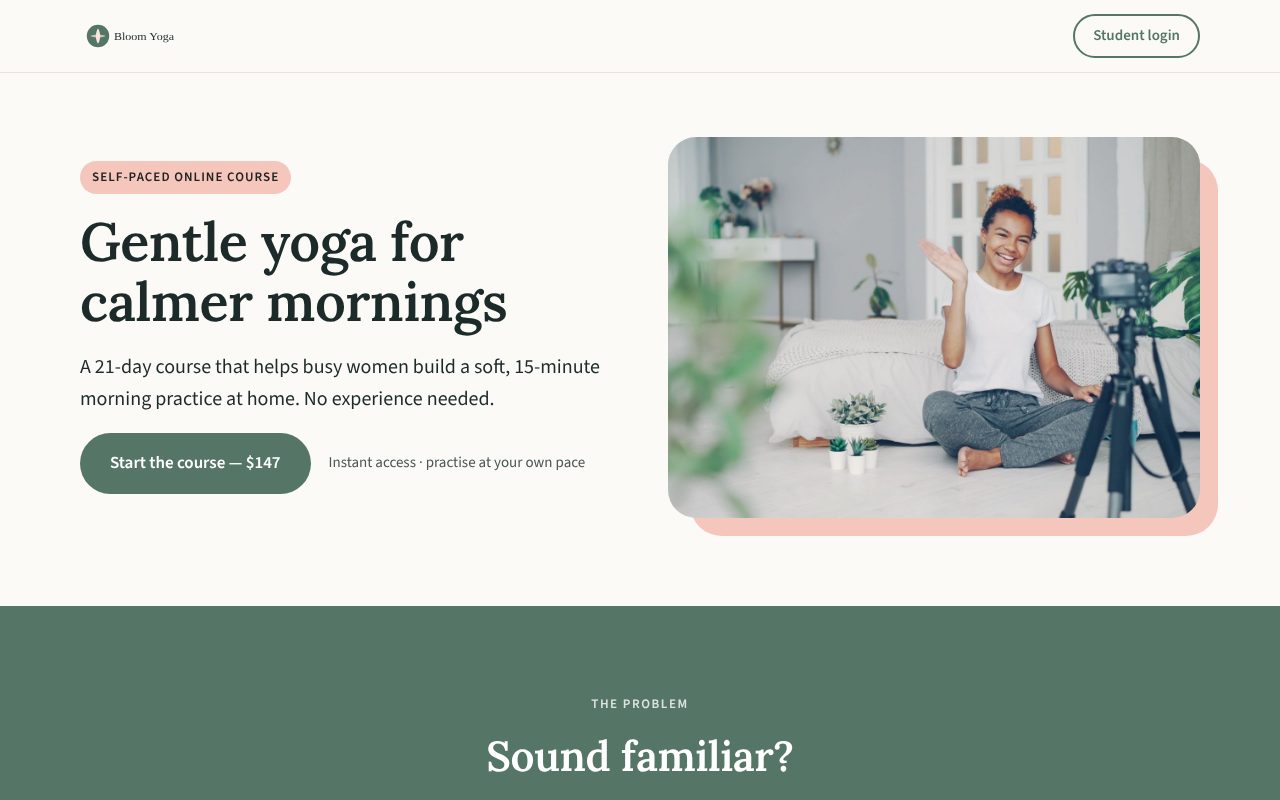
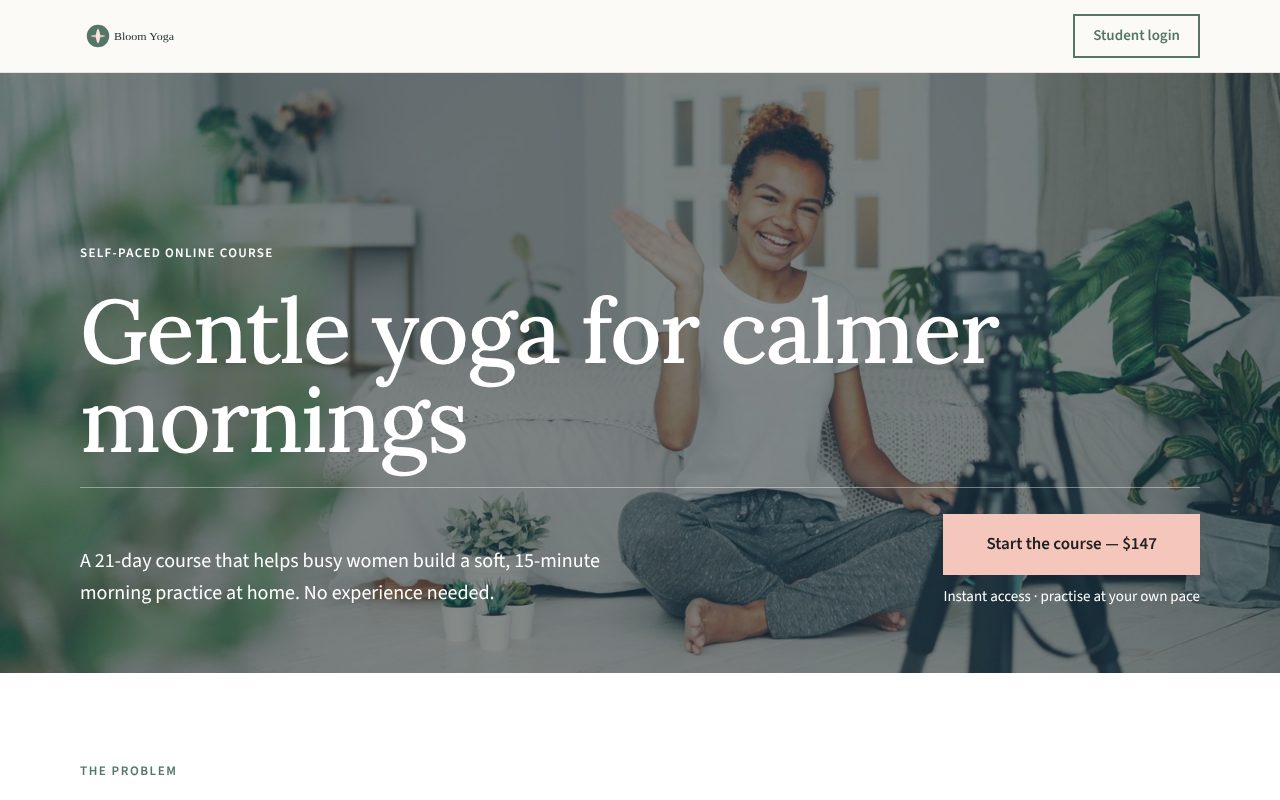
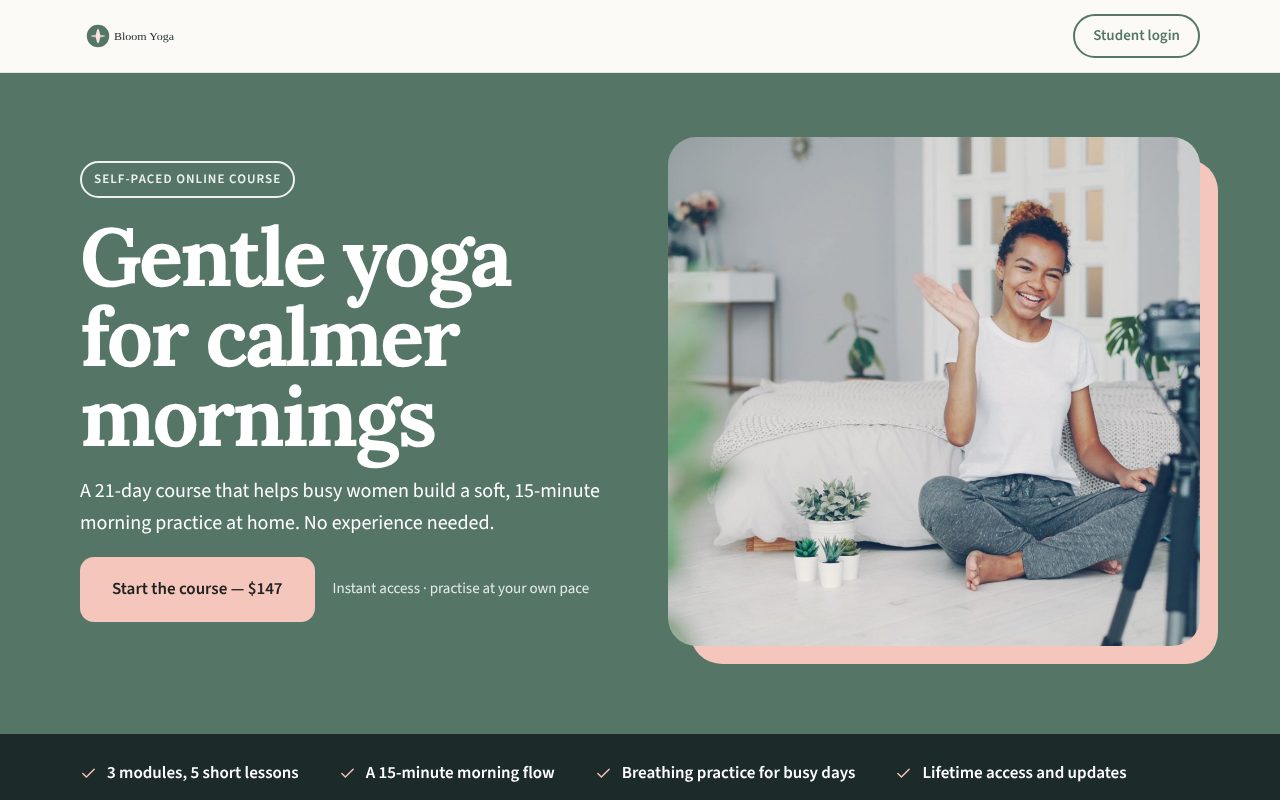
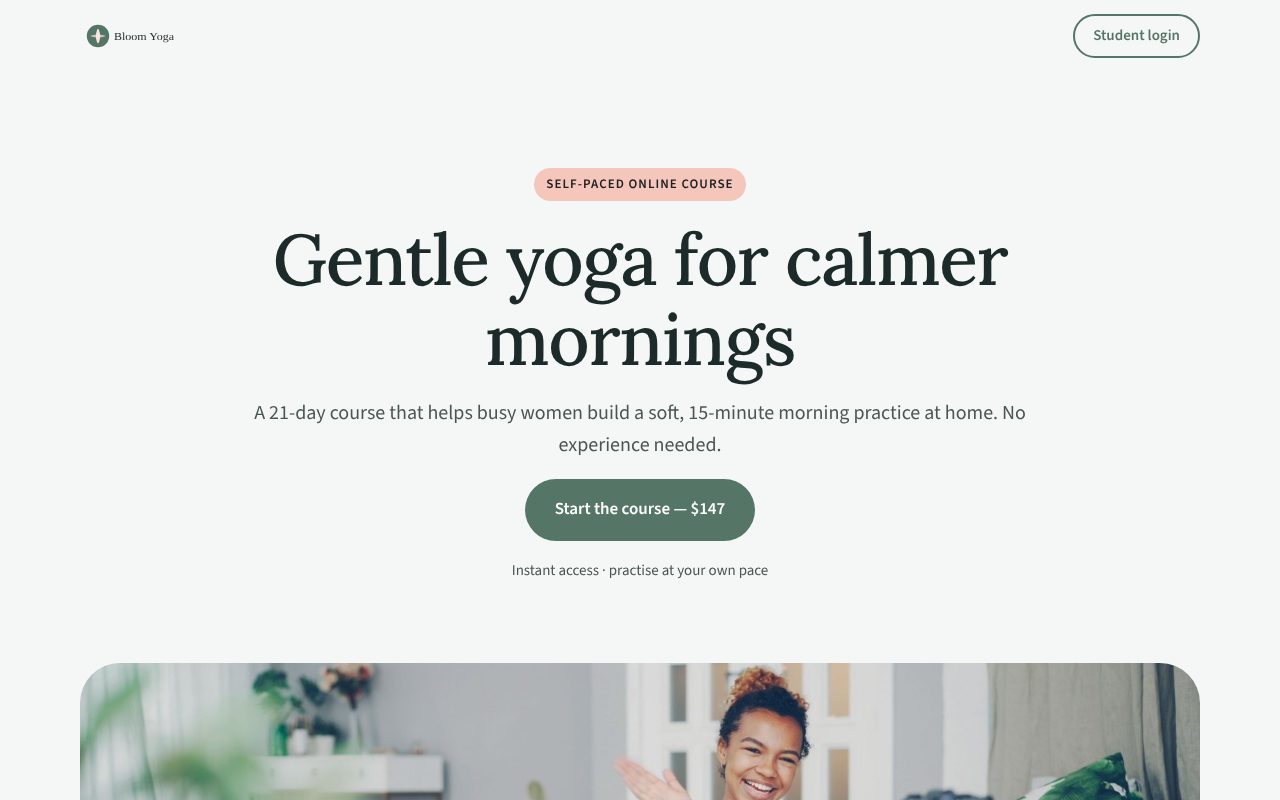
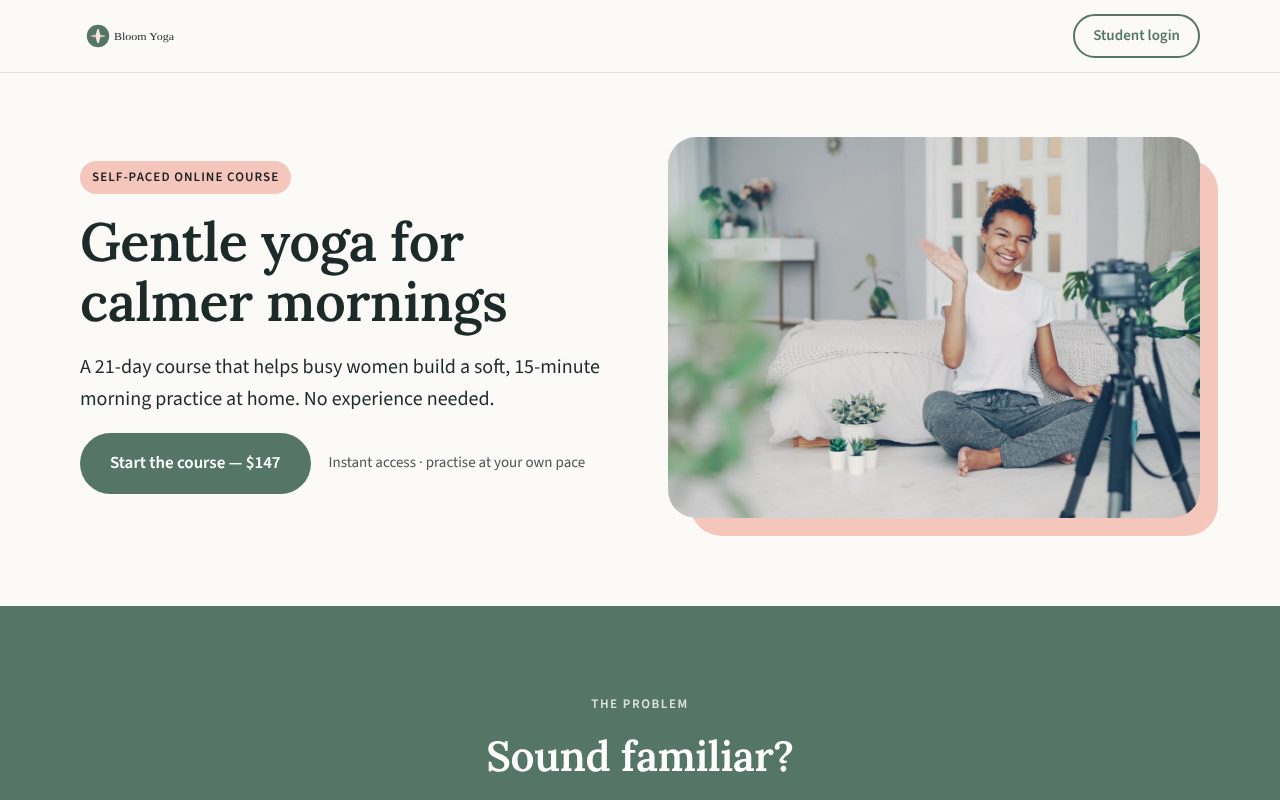
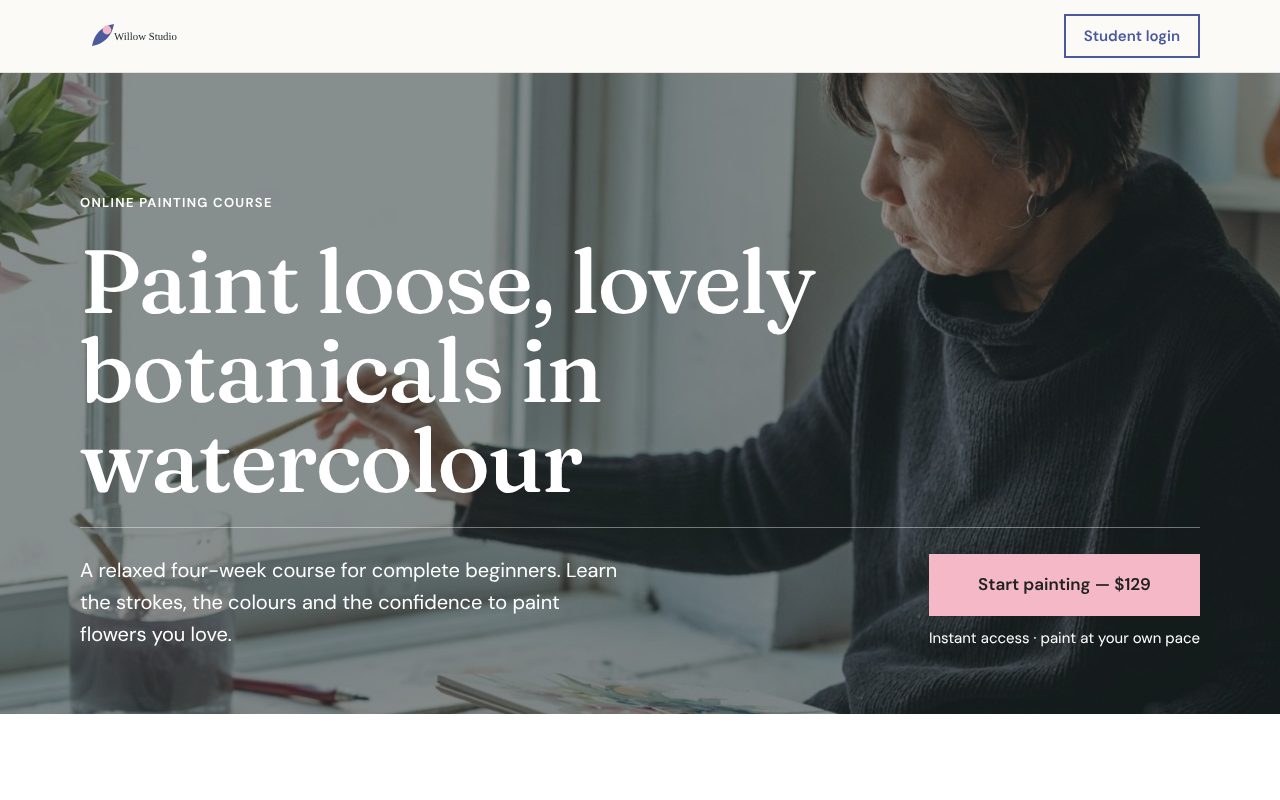
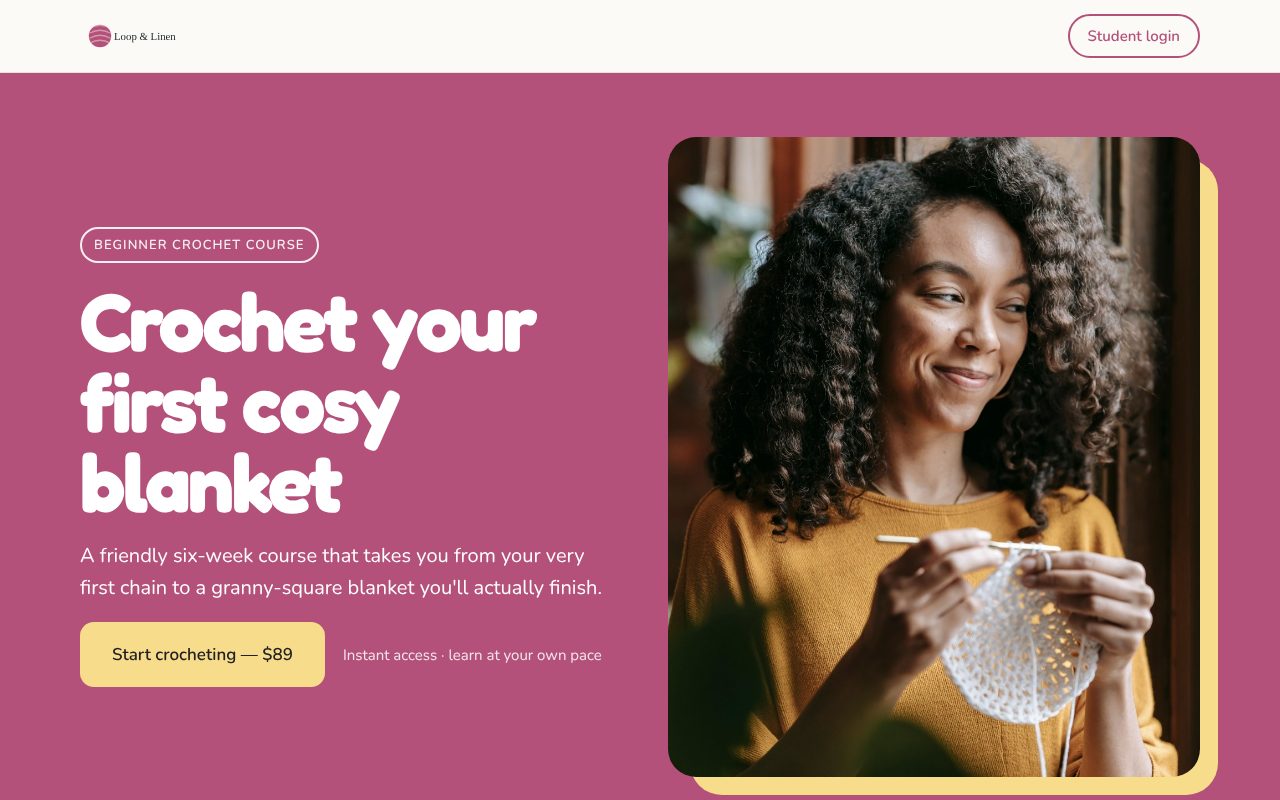
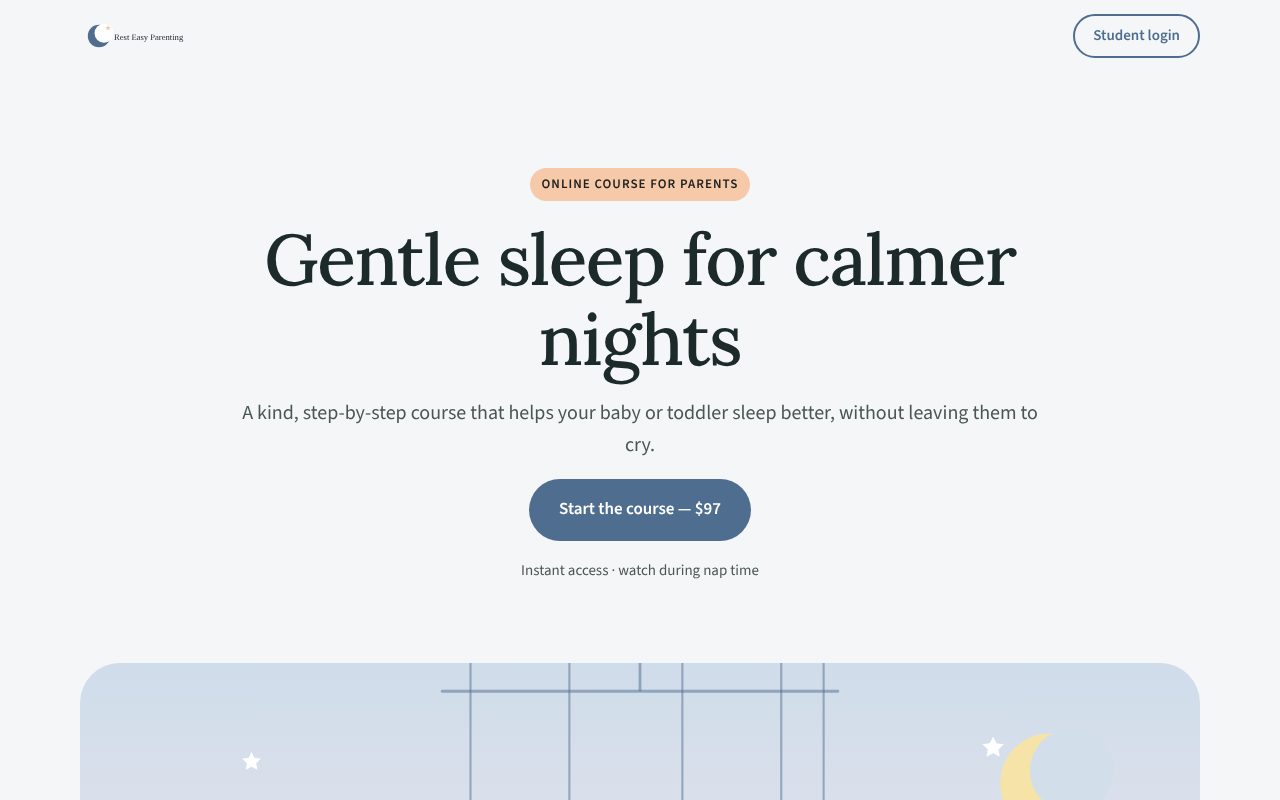
Four designs, one click apart
Your words and photos stay put; the design changes around them. Here's each one with a different example course. Try them in the preview before you publish, and switch any time after.
Make it yours
Your logo, colours and fonts come from your brand settings, so every course matches. Then style each section of the page.
Tip: keep one dark section near the end, like the offer, so your Buy button stands out.
What's on the page
Ten sections, top to bottom, in the order buyers expect. Each one comes with a prompt telling you what to write.
Optional: hide it if you don't need it
- 1Headline · your promise, photo and Buy button
- 2The problemOptional · what your buyer is stuck on
- 3Introduction · life after your course
- 4What's inside · filled in from your modules
- 5Who it's forOptional · and who it isn't for
- 6TestimonialsOptional · kind words from students
- 7About you · why you're the one to teach it
- 8The offer · price, what's included, your guarantee
- 9FAQOptional · answers to last doubts
- 10Final call · one last nudge to buy
Change it any time
New price, new testimonial, new photo? Update it and publish again. Your web address stays the same, and your students aren't affected.
- 1Edit a sectionClick any part of the preview to jump to it.
- 2Check the previewOn a laptop and a phone, as you type.
- 3Publish againLive in seconds, at the same address.
Questions about sales pages
Can I use my own domain?
Yes, with the Custom domain add-on ($20 CAD, one time). Your page moves to an address like learn.yourbusiness.com/your-course, using a domain you already own. Without it, your page lives at coursemark.co/your-course.
Can I switch designs after publishing?
Yes. Pick a new design, check the preview, and publish again. Your words and photos carry over.
Do I need my own photos?
They help, but every section works without one. You can add a share image too, for when your link is posted on social media.
Where does the price come from?
From your checkout settings, so the price on your page always matches what buyers pay.
Build your sales page today
Intro price: $97 CAD, one time, for every course you make.
Start building